Search for:
QT Google Tasks To-do List

Google Tasks To-do list

September 12, 2019|Alwayslearning, Organization, Tools

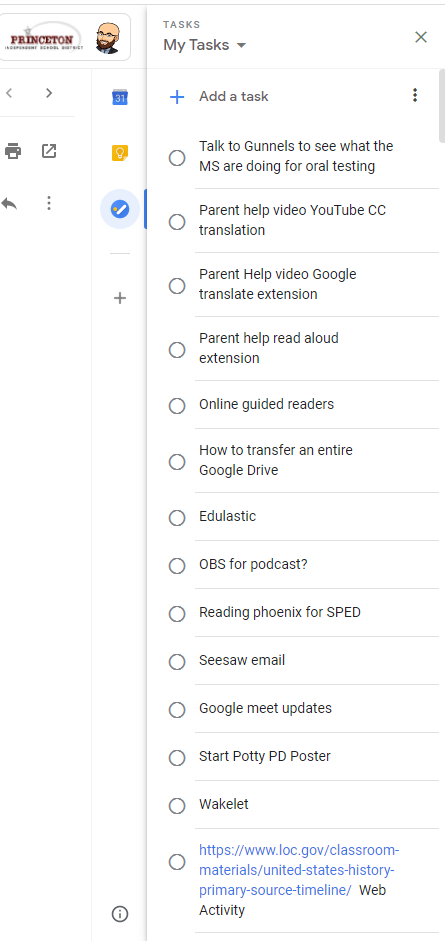
Have you ever noticed those 3 little icons in the menu bar on the far right of your Gmail screen?  If you click the blue circle logo, like you see above, you will open Google Tasks.  Tasks is the ultimate to-do list for me.  Tasks helps me keep track of and prioritize all of the things I need to accomplish.  

You can easily add items by clicking “Add a task”.

You can click and drag list items to reorganize them.

That little menu bar is on the right side of nearly all Google Apps you use.

 You can install Tasks as an app on your phone or tablet.  Any changes you make will sync across all devices.  
QT PDFescape

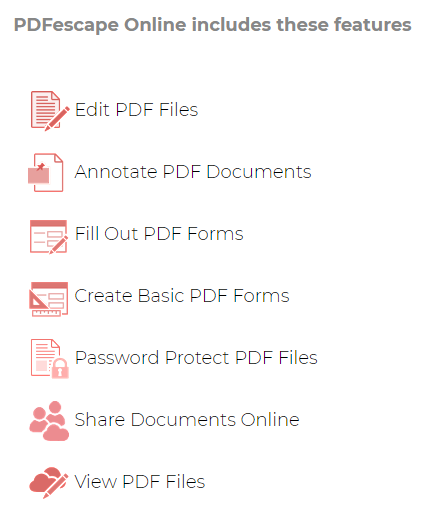
PDFescape.com comes highly recommended by Mrs. Cooper at Clark MS. PDFescape.com is “the original online Free PDF editor & form filler”. You can use this website to turn .pdf worksheets and more into interactive completable activities.

QT Kurkarella

The opening to that video was made with Kukarella. Kukarella.com converts text to voice to use in videos or activities. Maybe you want to include a reading of the directions for your students but you want to change it up instead of just your voice. Kukarella gives you lots of options to have your words read by other voices. It’s fun, go play with it and give it a try with your kids. You could have your students use it to convert their own writing to a recorded voice.

QT North America Map Activity

Download the Activity

Here is an interactive Google Slides Activity that you can assign in Google Classroom. Students are asked to complete a task on each slide of the presentation. They can then submit it through Google Classroom when it is complete.

This activity covers geography of North American as well as map skills. Students are asked identify the compass rose, map key, Texas, the mountain ranges, bodies of water, and other well known geographical features.

QT Punnet Squares Template

Download the Activity

Here is a template for a digital Punnett Squares Activity that is created in Google Slides and designed to be posted in Google Classrooms.

Teachers can copy paste the slide as much as they need. Teachers can change the Allele values and enter a question about the cross in the box on the right.

Students are able to type their answers in the cross and student answer box via text boxes that are already inserted.